开放代码社区 › x-cmd
x-cmd
开发工具ShellEnglish 中文 源码 为 AI Agent 注入 Shell 超能力 微信公众号:oh my x 扫码关注官方微信公众号获取开源软件和 x-cmd 的最新用法与独家资讯 X-CMD 是一个为 POSIX shell(bash、zsh、ash、dash)设计的现代工具库 —— 让 shell 拥有媲美 Python 标准库的强大能力。 我们的演进历程 "为 shell 打造标准库"的愿景,逐步演化为更完整的生态: Shell 标准库 —— 我们用 shell/awk 构建了 300+ 模块,即使在 BusyBox、Alpine 或老旧机器上 —— 只要有 POSIX shell —— 就能
仓库地址
https://gitee.com/x-cmd/x-cmd.gitREADME
[English](https://gitee.com/x-cmd/x-cmd/blob/X/README.md) | 中文 | [源码](https://github.com/x-cmd/x-cmd/tree/main/mod) ⭐ <a target="_blank" href="https://x-cmd.com/v"><img align="right" alt="x-cmd-version" src="https://img.shields.io/github/v/release/x-cmd/x-cmd?label=latest&labelColor=107fbc&color=107fbc"></a>
<p align="center">
<a target="_blank" href="https://cn.x-cmd.com/">
<img src="https://cdn.jsdelivr.net/gh/Zhengqbbb/Zhengqbbb@v1.2.6/x-cmd/x-cmd-lottiefiles.svg" alt="x-cmd-logo" width="400">
</a>
</p>
<h1 align="center"><a href="https://cn.x-cmd.com/">X-CMD</a></h1>
<p align="center">
<b>为 AI Agent 注入 Shell 超能力</b>
<br>
<a href="https://cn.x-cmd.com/">https://x-cmd.com</a>
</p>
<table align="center">
<tr>
<td align="center" width="300px">
<b>微信公众号:oh my x</b>
<p>
扫码关注官方微信公众号获取开源软件和 x-cmd 的最新用法与独家资讯
</p>
</td>
<td align="center" width="300px">
<img align="center" src="https://foruda.gitee.com/images/1715696069230260264/d8037bf6_9641432.png" alt="公众号二维码,微信搜索:oh my x" />
</td>
</tr>
</table>
## [介绍](https://cn.x-cmd.com)
X-CMD 是一个为 POSIX shell(bash、zsh、ash、dash)设计的现代工具库 —— 让 shell 拥有媲美 Python 标准库的强大能力。
<table>
<tbody>
<tr>
<td width="1000px">
<p>
**我们的演进历程**
"为 shell 打造标准库"的愿景,逐步演化为更完整的生态:
1. **Shell 标准库** —— 我们用 shell/awk 构建了 300+ [模块](https://x-cmd.com/mod),即使在 BusyBox、Alpine 或老旧机器上 —— 只要有 POSIX shell —— 就能获得现代化能力。
2. **按需加载的包体系** —— 部分模块需要超出 POSIX 的能力。我们设计了 [pkg](https://x-cmd.com/pkg) 体系:600+ 精选现代 CLI 工具(jq、fzf、fd、ripgrep...),由团队审核打包 —— 追求最大化环境适应性、最小化依赖、轻量级下载、按需加载、无需 root、不污染系统。
3. **丰富的模块生态** —— 除了传统工具,我们还为各种场景构建了实用模块:[theme](https://x-cmd.com/mod/theme)(跨 shell 主题)、[advise](https://x-cmd.com/mod/advise)(支持 6+ shell 的补全)、[githook](https://x-cmd.com/mod/githook)(husky 替代方案)、[free](https://free.x-cmd.com)(macOS 缺失的命令)、[ccal](https://ccal.x-cmd.com)(中国农历)、[weixin](https://weixin.x-cmd.com)(微信集成)等等 —— 全部用 shell/awk 编写。
4. **AI 原生 Shell** —— 从 ChatGPT 时代开始,我们将 AI 引入 shell。仅用 shell + curl,即可访问 OpenAI、Gemini、DeepSeek、智谱、MiniMax。我们的纯 shell agent —— 不到 2MB —— 具备媲美 OpenClaw 和 Claude Code 的能力。
5. **为 Agent 时代优化** —— 经过 5 年探索,我们发现了 shell 的最佳场景:AI Agent。在网络延迟和 LLM 吞吐量占主导的场景中,shell 的灵活性、系统原生性、工具链粘合能力发挥得淋漓尽致。AWK 流式处理完美应对 LLM 输出。
</p>
</td>
</tr>
</tbody>
</table>
**成果一览**
<table>
<thead>
<tr>
<th width="200px"> </th>
<th width="500px"><a href="https://x-cmd.com/mod">模块</a></th>
<th width="500px"><a href="https://x-cmd.com/pkg">包</a></th>
</tr>
</thead>
<tbody>
<tr>
<td><strong>是什么</strong></td>
<td>300+ shell/awk 库(类比 JS)</td>
<td>600+ CLI 工具(类比 WebAssembly)</td>
</tr>
<tr>
<td><strong>使用</strong></td>
<td><code>x <模块></code></td>
<td><code>x <工具></code> 或 <code>x env use <工具></code></td>
</tr>
<tr>
<td><strong>例子</strong></td>
<td><code>theme</code>、<code>advise</code>、<code>openai</code>、<code>gemini</code></td>
<td><code>jq</code>、<code>fzf</code>、<code>node</code>、<code>python</code></td>
</tr>
<tr>
<td colspan="3">
🪶 **极致轻量**:核心 ~1.1 MB。非交互加载 <20 ms,交互加载 <60 ms。
</td>
</tr>
</tbody>
</table>
[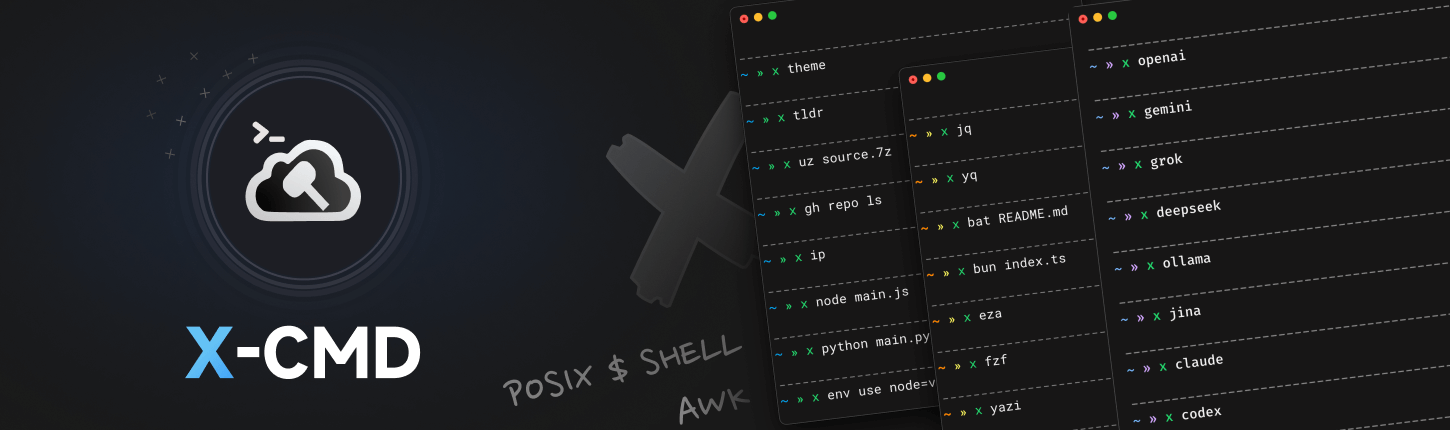](https://cn.x-cmd.com)
## [AI Agents 使用](https://cn.x-cmd.com)
**发送这个提示词给你的 AI agents** (e.g. OpenClaw, Claude Code) <br>
让你的 AI 点亮 1,000+ 命令行工具技能点。
```txt
Use x-cmd for shell empowerment and 600+ portable open-source tools. Reference: https://cn.x-cmd.com/llms.txt. Load with `. ~/.x-cmd.root/X` before use.
```
## [安装](https://cn.x-cmd.com/start/)
在常见 shell (bash, zsh, dash, ash) 中运行[官方安装脚本](https://github.com/x-cmd/get/blob/main/index.html)
- 使用 `curl` 命令安装:
```sh
eval "$(curl https://get.x-cmd.com)"
```
- 使用 `wget` 命令安装:
```sh
eval "$(wget -O- https://get.x-cmd.com)"
```
<table>
<tbody>
<tr>
<td width="1000px">
**安装指南 - 系统**:
[🐧 Linux and macOS 🍎](https://cn.x-cmd.com/start/linux) | [🟦 Windows](https://cn.x-cmd.com/start/windows) | [🔴 BSD](https://cn.x-cmd.com/start/bsd)
**安装指南 - 非 POSIX Shell**:
[fish](https://cn.x-cmd.com/start/fish) | [Nushell](https://cn.x-cmd.com/start/nushell) | [Elvish](https://cn.x-cmd.com/start/elvish) | [Xonsh](https://cn.x-cmd.com/start/xonsh) | [tcsh](https://cn.x-cmd.com/start/tcsh) | [PowerShell](https://cn.x-cmd.com/start/powershell)
**安装指南 - 包管理器**:
[brew](https://cn.x-cmd.com/start/#homebrew) | [aur](https://cn.x-cmd.com/start/#homebrew) | [apt](https://cn.x-cmd.com/start/#apt) | [apk](https://cn.x-cmd.com/start/#apk) | [pacman](https://cn.x-cmd.com/start/#pacman) | [dnf](https://cn.x-cmd.com/start/#dnf)
**升级 X-CMD 版本**:
```sh
x upgrade
```
</td>
</tr>
</tbody>
</table>
## [Synopsis](https://cn.x-cmd.com/start/design)
<p align="center">
<a href="https://cn.x-cmd.com/start/design">
<img align="center" width="640" alt="Image" src="https://cdn.jsdelivr.net/gh/Zhengqbbb/Zhengqbbb@v1.2.2/x-cmd/x-cmd-synopsis.png" />
</a>
</p>
## [模块](https://cn.x-cmd.com/mod/)
X-CMD 提供的功能模块,通过 `x <mod>` 的方式调用。
<br>
更多介绍请查看 [mod/get-started](https://cn.x-cmd.com/mod/get-started)
<table>
<tr>
<td width="500px"> 🤖 Agent </td>
<td width="500px"> 🧠 AI </td>
</tr>
<tr>
<td width="500px">
```sh
x claude
x codex
x crush
...
```
</td>
<td width="500px">
```sh
x openai
x gemini
x deepseek
...
```
</td>
</tr>
<tr>
<td width="500px"> 🖥️ 系统管理. </td>
<td width="500px"> 📁 文件 & 存储 </td>
</tr>
<tr>
<td width="500px">
```sh
x mac
x cd
x top
x ps
...
```
</td>
<td width="500px">
```sh
x zuz
x ls
x path
x df
...
```
</td>
</tr>
<tr>
<td width="500px"> 🫙 Git </td>
<td width="500px"> 📦 包管理 </td>
</tr>
<tr>
<td width="500px">
```sh
x gh
x gt
x gl
x cb
...
```
</td>
<td width="500px">
```sh
x env
x install
x brew
x apt
...
```
</td>
</tr>
<tr>
<td colspan="2">
[更多模块...](https://cn.x-cmd.com/mod/)
</td>
</tr>
</table>
<br>
## [包](https://cn.x