开放代码社区 › HQChart 行情图形库与麦语法指标引擎
HQChart 行情图形库与麦语法指标引擎
学习资源JavaScriptHQChart 是从传统 PC 股票客户端移植到 JS/Python 的行情图表项目,包含 K 线图形库与麦语法(分析家语法)指标执行器。支持股票、期货、数字货币、外汇等品种,可在 js、Vue、uni-app、小程序中运行,提供 K 线、分时、报价列表、期权 T 型报价及自定义指标计算,适用于金融行情展示与指标回测选股。
仓库地址
https://gitee.com/jones2000/HQChart.gitREADME

[](https://www.apache.org/licenses/LICENSE-2.0.html)
[]('https://github.com/jones2000/HQChart/stargazers')
[]('https://github.com/jones2000/HQChart/members')
[]('https://gitee.com/jones2000/HQChart/stargazers')
[]('https://gitee.com/jones2000/HQChart/members')
[](https://www.npmjs.org/package/hqchart)
[](https://img.shields.io/npm/dw/hqchart)
HQChart是第1个基于国内传统PC股票客户端软件(C++)移植到js/py平台的一个项目, 包含**K线图图形库**及**麦语法(分析家语法)指标执行器**. <br>
**支持平台**:js, vue2.0, vue3.0, uniapp,小程序 <br>
**支持品种**:支持股票,期货, 数字货币,外汇等和K线相关的品种。<br>
**麦语法指标计算引擎**(分析家语法)指标执行器支持js, nodejs, py, c#,c++. 支持前端worker线程计算指标<br>
# 交流
前端技术交流群:719525615
有问题可以直接发issue.
**教程列表和demo效果图在下面,下拉页面就可以看到!!!!!!!!!!!!**
源码地址:[https://github.com/jones2000/HQChart](https://github.com/jones2000/HQChart)<br>
镜像地址:[https://gitee.com/jones2000/HQChart](https://gitee.com/jones2000/HQChart)<br>
uniapp 版本:
新版插件 :[https://ext.dcloud.net.cn/plugin?id=4591](https://ext.dcloud.net.cn/plugin?id=4591)<br>
老版本手动导入插件 : [https://ext.dcloud.net.cn/plugin?id=790](https://ext.dcloud.net.cn/plugin?id=790)<br>
[HQChart用户使用协议](https://gitee.com/jones2000/HQChart/blob/master/用户协议.txt) <br>
[HQChart商业使用说明及用户使用协议](https://blog.csdn.net/jones2000/article/details/123170153)<br>
第3放数据对接案例:<br>
源码地址:[https://github.com/jones2000/HQChart-Super](https://github.com/jones2000/HQChart-Super)<br>
镜像地址:[https://gitee.com/jones2000/HQChart-Super](https://gitee.com/jones2000/HQChart-Super)<br>
如果你觉得我们的行情模块对你有帮助, 请给我们点下star. (●ˇ∀ˇ●) <br>
麦语法指标计算引擎,[https://github.com/jones2000/hqchartPy2/tree/master/HQChartPy2.Free](https://github.com/jones2000/hqchartPy2/tree/master/HQChartPy2.Free),
支持windows,和linux. 这个版本是用c++开发的,通过cpython来对接py,能高效的完成指标执行. 可以应用于回测, 选股等批量指标计算中.
## 完整的行情面板示例
纯前端, 需要安装数据插件[https://github.com/jones2000/HQChartData](https://github.com/jones2000/HQChartData)
## 行情页面(支持AI智能体分析)


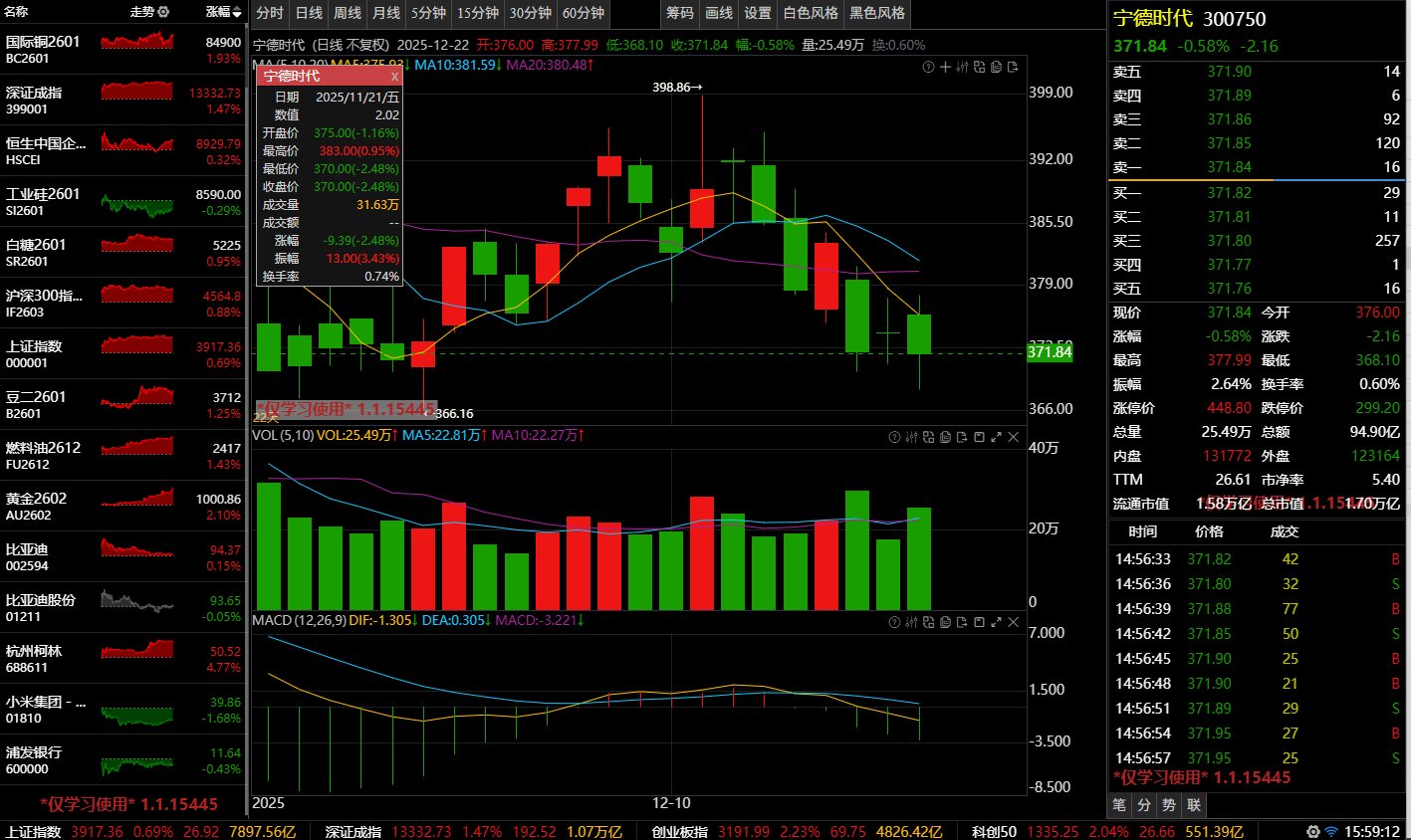
页面地址: [https://jones2000.github.io/HQChart/webhqchart.demo/Demo_hqchart/hqchart_demo.html](https://jones2000.github.io/HQChart/webhqchart.demo/Demo_hqchart/hqchart_demo.html)
## 报价列表
页面地址: [https://jones2000.github.io/HQChart/webhqchart.demo/Demo_hqchart/hq_report_demo.html](https://jones2000.github.io/HQChart/webhqchart.demo/Demo_hqchart/hq_report_demo.html)
## 期权T型报价
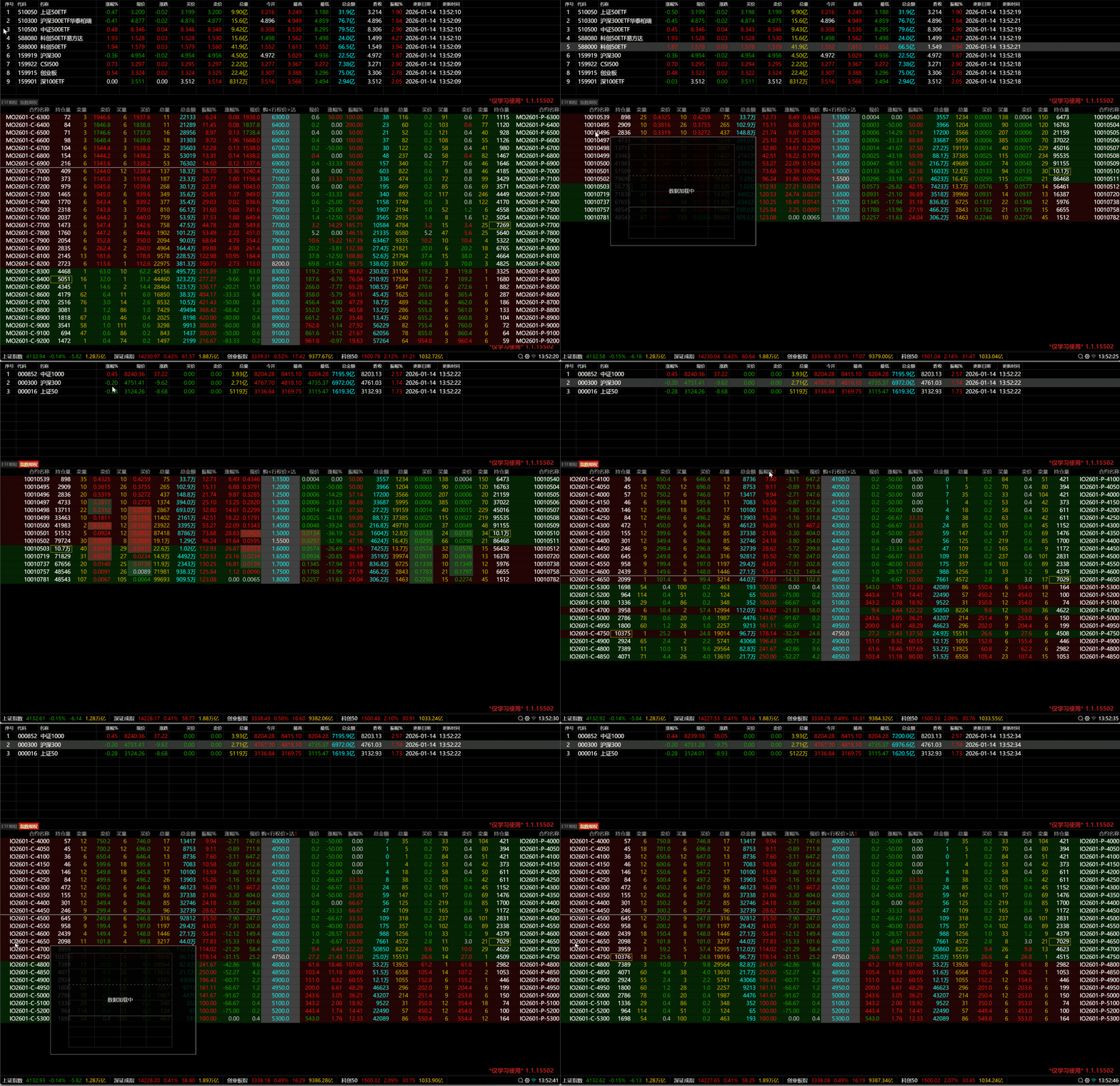
页面地址: [https://jones2000.github.io/HQChart/webhqchart.demo/Demo_hqchart/hq_TReport_demo.html](https://jones2000.github.io/HQChart/webhqchart.demo/Demo_hqchart/hq_TReport_demo.html)
# 目录结构
--webhqchart 行情前端js代码模块 <br>
--wechathqchart 微信小程序行情前端js代码模块 <br>
*注意! 目前代码使用了ES6的特性, 所有会导致有些老的浏览器无法显示, 需要使用Babel转成es5
--webhqchart.demo 页面行情测试用例 <br>
* |--jscommon 行情前端js代码 是webhqchart的一个拷贝 <br>
* |--demo 测试用 <br>
--vuehqchart
* |--src 行情控件
* |--umychart.resource 行情用到的图片资源 及 css样式
* |--umychart.vue 行情图形及行情数据模块
* |--umychart.vue.components 行情VUE控件模块
* |--pages 测试和demo页面
--小程序行情模块用例 小程序测试用例<br>
--umychart_python 分析家语法(麦语法)python版本 <br>
--umychart_indexapi nodejs指标后台计算demo (包括docker打包文件) <br>
# npm 安装
npm install jquery <br>
npm install hqchart <br>
[https://www.npmjs.com/package/hqchart](https://www.npmjs.com/package/hqchart) <br>
VUE 例子:[demo-vue.md](https://gitee.com/jones2000/HQChart/blob/master/教程/demo-vue.md) <br>
React 例子:[demo-react.md](https://gitee.com/jones2000/HQChart/blob/master/教程/demo-react.md) <br>
# 本地调试
由于安全原因, 内置测试数据接口已经停止了。
如果需要数据对接可以参考第3放数据对接案例. [https://github.com/jones2000/HQChart-Super](https://github.com/jones2000/HQChart-Super)
~~内置测试数据不支持跨域,如果要在本地chrome调试代码,参看教程[解决Chrome本地调试跨域](https://jones2000.blog.csdn.net/article/details/120008624). VUE项目本地调试请使用127.0.0.1:8080站点调试~~
# 声明
本项目只提供行情图形库及麦语法脚本执行器.
页面中所有的行情数据都来自互联网或测试假数据, 不能确保数据的正确性, 仅供开发调试使用. 任何行情数据问题都与本项目无关. 请自行去交易所购买正版行情。
# HQChart 3.0
* 分网页版本 及 微信小程序版本 <br>
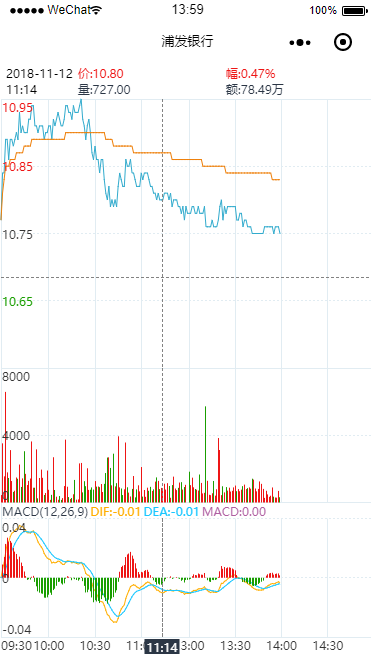
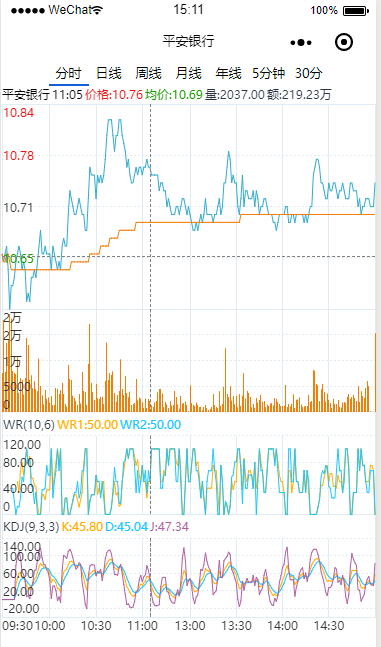
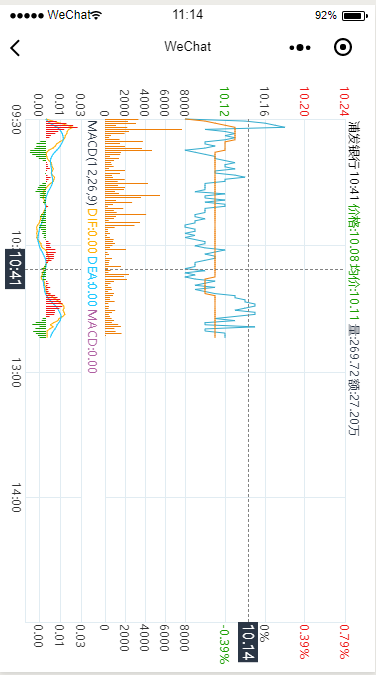
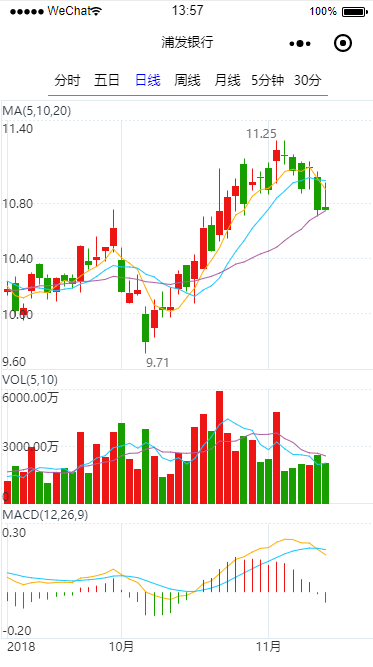
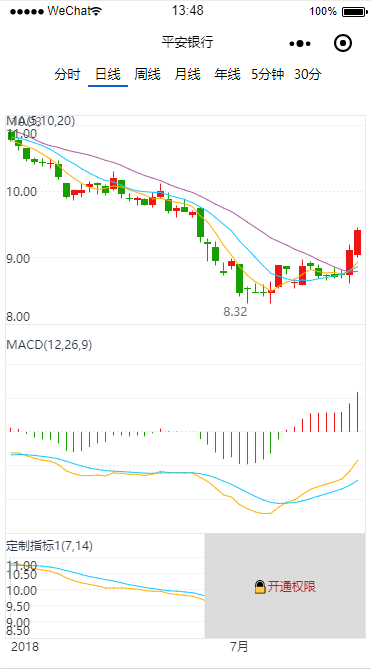
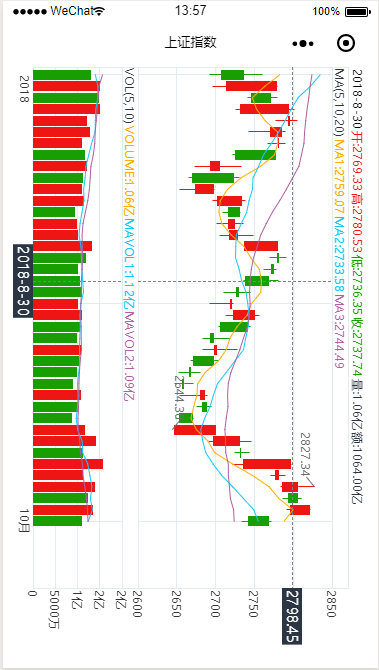
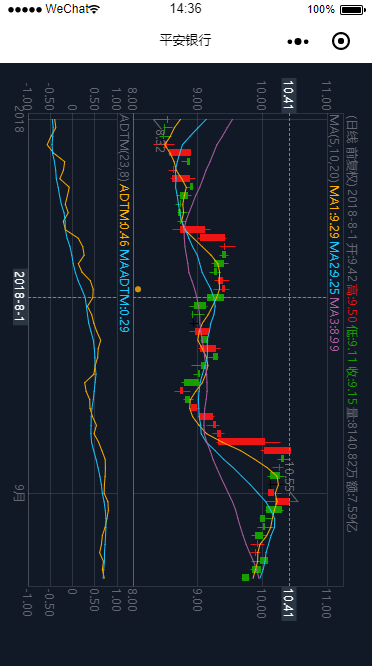
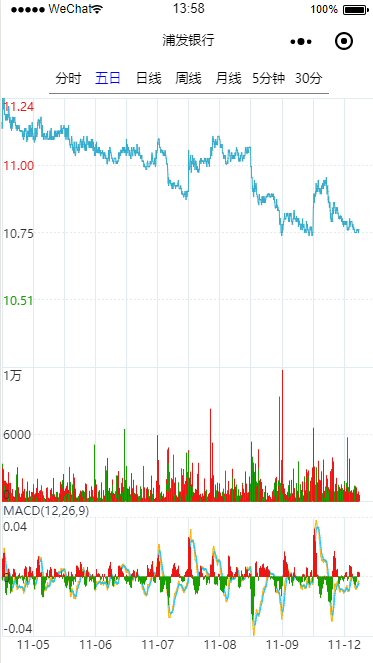
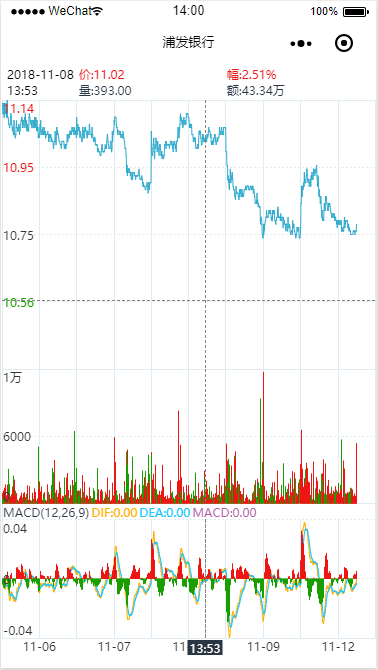
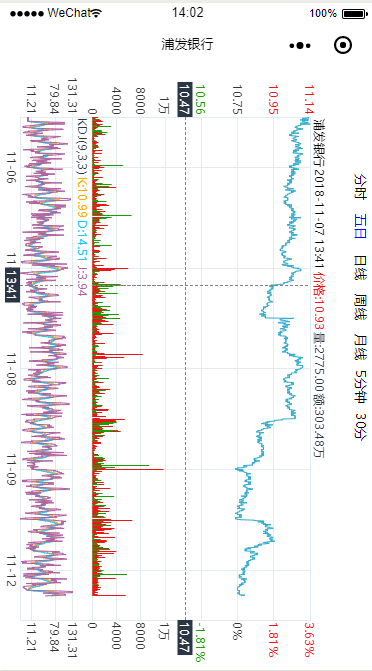
# 1. K线图
* 支持前复权,后复权 <br>
* 支持日线,月线,周线,年线.分钟线<br>
* 主图支持股票叠加 <br>
* K线形状支持 空心K线,实心K线,美国线,收盘价线
* 支持常用指标指标(目前以录入系统指标80多个),支持自定义通达信语法脚本指标<br>
均线,BOLL,MACD,KDJ,VOL,RSI,BRAR,WR,BIAS,OBV,DMI,CR,PSY,CCI,
DMA,TRIX,VR,EMV,ROC,MIM,FSL,CYR,MASS,WAD,CHO ..... <br>
* 支持画图工具,支持保存到本地或保存在内存中<br>
线段,射线,矩形,圆弧线,水平线,趋势线,平行线,平行通道,价格通道线,文本